

Table of Contents
It took six weeks. It should have taken two. When we finally deployed, three things broke in production that had worked perfectly in staging. And the worst part? All three of those failures are things I could have avoided if someone had just told me about them upfront.
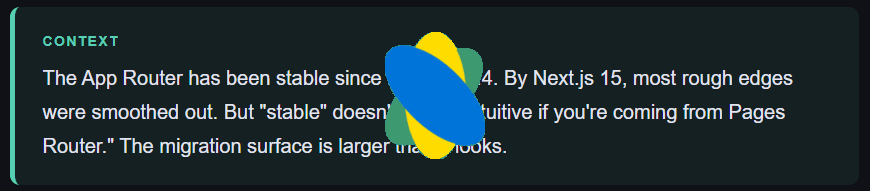
This isn’t a migration guide. There are plenty of those. This is the post-mortem — the stuff that went wrong, why it went wrong, and what I wish someone had written down before I started.
Our app was a B2B SaaS dashboard. About 60 routes, some heavily server-rendered, some mostly client-side, with a handful of API routes and a chunky authentication layer. Reasonably well-structured. Not a mess. The kind of codebase you’d feel okay handing to a new engineer. That’s what made the migration so humbling — because none of that cleanliness prepared us for what App Router actually demands.
Why We Migrated at All
Honest answer: because the Pages Router started feeling like the wrong side of the fence. Streaming, React Server Components, better layout support — we wanted all of it. We were also building a new onboarding flow that would benefit heavily from nested layouts, something Pages Router just doesn’t do cleanly.
The docs made it sound incremental. “Migrate route by route,” they said. And technically, yes, you can run both routers side by side. But the mental overhead of having two mental models active simultaneously is brutal, and we paid for it in bugs we barely understood.
Trap #1: The legacyBehavior Time Bomb
This one almost cost us a release.
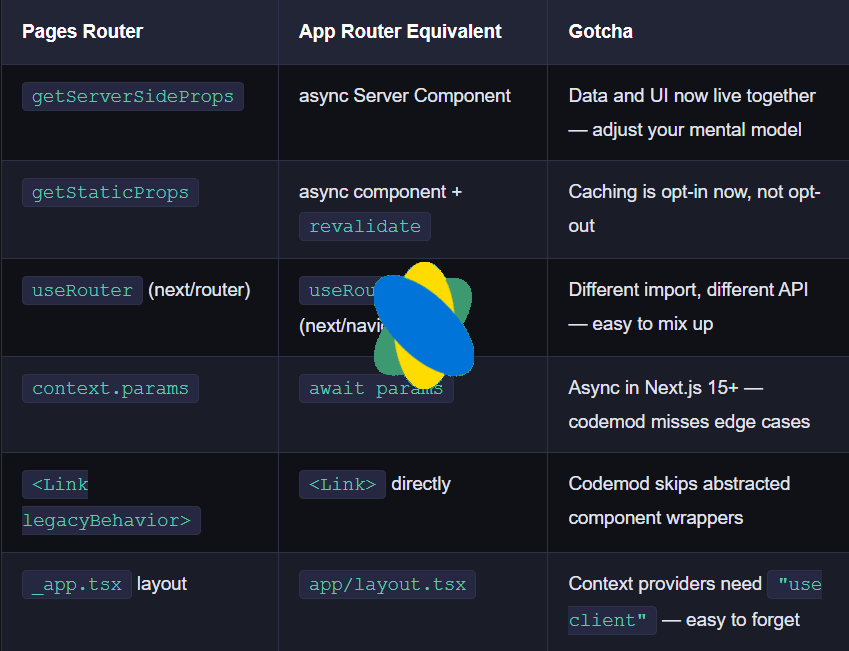
In older Next.js, <Link> required an <a> tag as a child. That was the pattern for years. When they changed it so <Link> renders its own anchor element, they added a legacyBehavior prop as an escape hatch so you didn’t have to rewrite everything at once.
// The old pattern — this was everywhere in our codebase
<Link href="/dashboard" legacyBehavior>
  <a className="nav-link">Dashboard</a>
</Link>

// The new pattern
<Link href="/dashboard" className="nav-link">
  Dashboard
</Link>
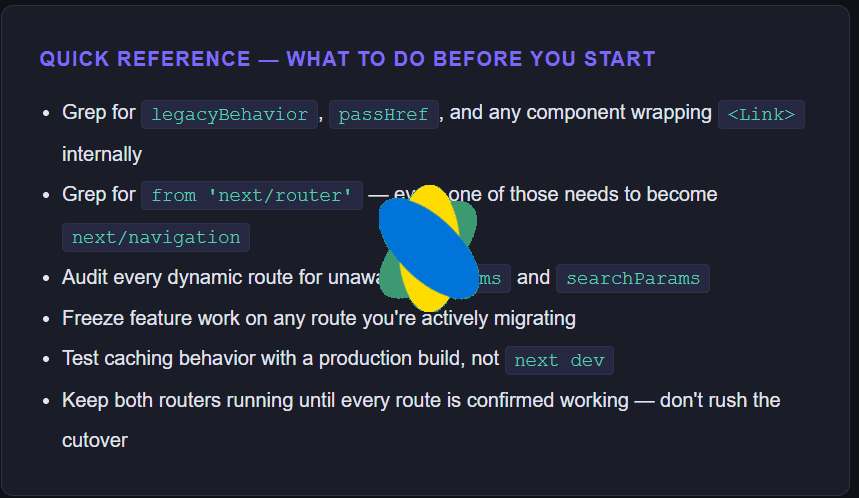
We knew about this. We ran the codemod. It caught most of them. What it didn’t catch were the cases where a custom component wrapped the anchor — things like our <NavItem> component that rendered a <Link legacyBehavior> internally, or our styled-component wrapper that accepted a href and silently used passHref under the hood.
In Next.js 15, legacyBehavior still works. But when Next.js 16 dropped it entirely, those wrapper components started producing <a><a> — a nested anchor inside another anchor. Invalid HTML, broken keyboard navigation, and our accessibility linter started screaming.
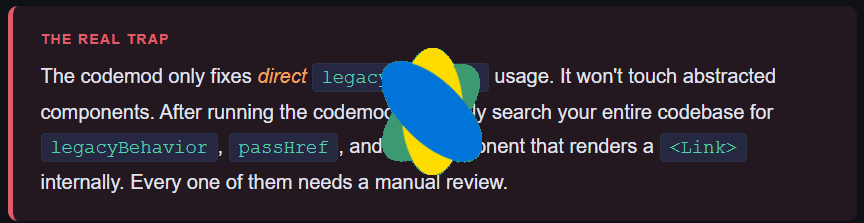
The fix was mechanical once we found all the cases. But finding them took longer than fixing them, and we only discovered two of the worst offenders after a user reported that tab navigation was broken in the sidebar.
Trap #2: getServerSideProps Was a Mental Model, Not Just an API
This is the one that took longest to understand, because it wasn’t a bug. It was a mismatch between how we’d been thinking about data fetching for years and what App Router actually does.
In Pages Router, there’s a clean boundary. Data runs in getServerSideProps. UI runs in the component. They never mix. The framework calls your data function, passes the result as props, and your component just renders.
// Pages Router — data and UI live in separate places
export async function getServerSideProps(context) {
  const data = await fetchDashboardData(context.query.id);
  return { props: { data } };
}

export default function DashboardPage({ data }) {
  return <Dashboard items={data.items} />;
}
// App Router — data and UI live together
export default async function DashboardPage({ searchParams }) {
const data = await fetchDashboardData(searchParams.id);
return <Dashboard items={data.items} />;
}On the surface, that looks simpler. And it is, once you’ve internalized it. The problem is your brain keeps reaching for the old separation. You find yourself writing a Server Component, then instinctively wanting to pass the data down through props through three component layers — because that’s what you always did. You forget that the child component two levels down can just fetch its own data directly.

Worse, when you have developers on the team with different levels of familiarity, you end up with half the codebase written in the App Router style and half written as if it’s Pages Router with async components bolted on. That inconsistency is subtle and it’s very hard to code review.
The context/params change nobody reads carefully
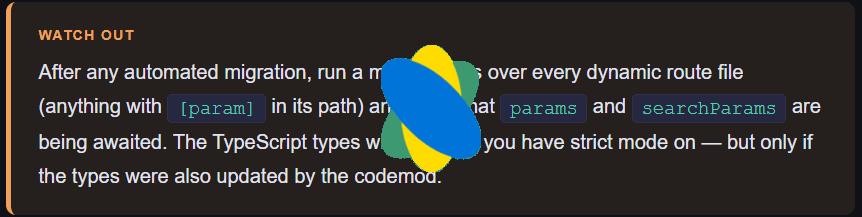
In Pages Router, context.params and context.query are just there, synchronously. In App Router, params and searchParams come as props but in Next.js 15 they became asynchronous. Meaning you have to await them before using them.
// Next.js 15+ — params and searchParams are async
export default async function ProductPage({
  params,
  searchParams,
}: {
  params: Promise<{ slug: string }>
  searchParams: Promise<{ sort?: string }>
}) {
  const { slug } = await params;
  const { sort } = await searchParams;
  // ...
}
The migration codemod is supposed to handle this. Ours missed about a dozen route files because they used a slightly non-standard pattern. The result was pages silently failing to read URL params — no error in development, just wrong data in production.
Trap #3: Never Add Features While You’re Migrating
This sounds obvious. It’s not.
When you’re deep in a migration, the product roadmap doesn’t stop. A stakeholder wants a new filter on the orders page. A designer drops a revamped sidebar. The temptation is to say “I’m already touching that file, I’ll just add this too.”
Don’t. We learned this the hard way.
When you add new features mid-migration, you end up with routes in two different states at once. Half of a page component written in App Router style, half still thinking in Pages Router terms. Code review becomes nearly impossible because the reviewer can’t tell if a pattern is intentional or just legacy code that wasn’t migrated yet.
Our orders page became this Frankenstein — Server Components at the top, then a Client Component that was only a Client Component because the developer grabbed an old hook that still used useRouter from next/router instead of next/navigation. It technically worked. But it was importing from the wrong router, so back-button behavior was broken in a way that only showed up when you navigated from a specific flow.
// Pages Router import — will cause subtle bugs in App Router
import { useRouter } from 'next/router';

// App Router import — this is what you want
import { useRouter } from 'next/navigation';
The Caching Model Will Catch You Off Guard
I won’t go deep on this — it deserves its own article — but caching in App Router is nothing like Pages Router, and it will bite you in production before it bites you in development.
App Router has four separate caching layers: Request Memoization, Data Cache, Full Route Cache, and Router Cache. In development, most of them are disabled or behave differently than in production. So you can have a page that looks perfectly fresh in next dev and serves stale data in production because you forgot to configure revalidate or you called revalidatePath from a Server Action that didn’t actually clear the layer you expected.
Our symptom was a dashboard page that showed outdated stats after a user updated their profile. The data was stale by the Router Cache layer — the client-side cache that doesn’t refresh unless you hard-navigate. It looked like a data bug when it was really a cache invalidation miss.
The Honest Conclusion
App Router is genuinely better. Streaming, nested layouts, Server Components — all of it delivers real performance wins once it’s set up correctly. Our Time to Interactive dropped significantly on the most data-heavy routes after migration. The architecture is cleaner once you stop fighting it and learn to think in its terms.
But the migration is harder than the docs make it look. Not because the API is bad, but because you’re not just swapping one API for another — you’re unlearning a mental model you’ve had for years and rebuilding it from scratch. The code changes are the easy part. The mindset change is what takes time.
If you’re planning this migration for a production app with more than 20 routes, block off proper time for it. Don’t try to ship features in parallel. And read the release notes for every Next.js version between where you are and where you’re going — because the traps that got us weren’t bugs. They were documented changes we hadn’t actually read.
Frequently Asked Questions
Is migrating from Pages Router to App Router worth it in 2026?
For most production apps, yes — but only if you have the time to do it properly. The performance and architectural benefits are real. The migration cost is also real. Don’t start it if you’re in a crunch period.
Can I run Pages Router and App Router at the same time in Next.js?
Yes. Next.js officially supports incremental migration — your pages/ directory and app/ directory can coexist. Routes in app/ take priority over the same path in pages/. This is how you migrate route by route, though the mental overhead of two models active simultaneously is higher than it sounds.
What’s the most common mistake when migrating to the App Router?
Importing from next/router instead of next/navigation. It’s an easy typo, both look identical in code, and the bugs it produces are non-obvious — things like broken back-button behavior or query params not updating correctly.
Does getServerSideProps still work in the App Router?
No. getServerSideProps, getStaticProps, and getStaticPaths are Pages Router-only APIs. In the App Router, you fetch data directly in async Server Components. The pattern is simpler once you get used to it, but the transition requires rewiring how you think about data fetching.
How long does a Next.js App Router migration take?
For a 60-route production app: plan for 3–6 weeks if you do it carefully, with time for QA. Automated codemods handle maybe 60–70% of the changes. The remaining 30% — abstracted components, custom patterns, caching configuration — requires careful manual work.
App Router Docs
Most Popular Article
https://www.hemantinsights.com/why-i-stopped-using-useeffect-for-data-fetching/: I Migrated a 60-Route Next.js App from Pages Router to App Router — Here’s What Nobody Warned Me About