
Table of Contents
Let me be very honest with you…
I used to be that person who downloaded every productivity app that popped up on Product Hunt. My phone had like 30 different “life-changing” apps, and guess what? I was still a mess.
I’d spend more time organizing my tasks than actually doing them. Sound familiar?
But here’s the thing – after years of trial and error (and a mini breakdown during a work deadline), I finally figured out what actually works. Not the Instagram-perfect productivity porn, but real tools that fixed my actual problems.
So let me share the 5 apps that genuinely turned things around for me. And more importantly, I’ll tell you WHY they worked when everything else failed.
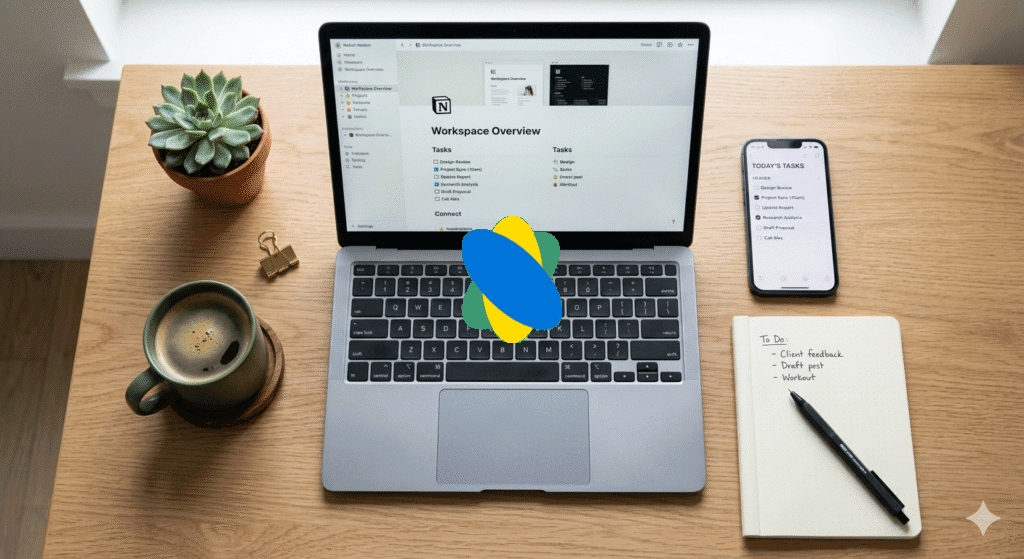
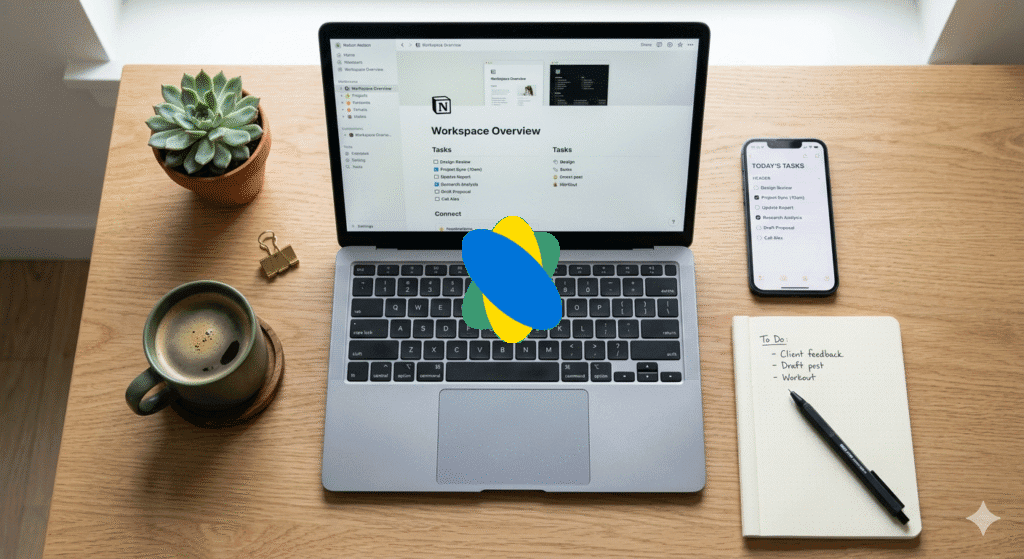
1. Notion (Productivity Apps ) – But Not How You Think
The mistake everyone makes: Spending weeks building the “perfect” system with color-coded databases and aesthetic templates.
What actually worked for me:
Look, I’ll be straight with you. When I first tried Notion two years ago, I quit after three days. It felt overwhelming, like learning to fly a spaceship just to write a grocery list.
But then my laptop died, and I lost EVERYTHING. Six months of project notes, meeting recordings, random 2am ideas – gone. That’s when I got serious about Notion.
Here’s what actually changed:
I stopped trying to make it perfect. My Notion isn’t Instagram-worthy. It’s messy, it has typos, and some pages are literally titled “random stuff Tuesday.”
But you know what? I haven’t lost a single important thought in 18 months.
My simple setup that actually works:
- One page for daily brain dumps (literally just write whatever)
- One database for projects (just the name and deadline, nothing fancy)
- One page for each area of my life (work, health, learning, finance)
That’s it. No 47 nested databases. No templates I’ll never use.
The real game-changer: The search function. I can’t tell you how many times I’ve typed “that idea about…” and actually found it. It’s like having a conversation with past-you.
Cost: Free for personal use (seriously, you don’t need the paid version unless you’re working with a team)
Useful Resources:
- Download Notion – Available for Windows, Mac, iOS, Android
- Notion Beginner’s Guide – Official getting started tutorials
- Notion Template Gallery – Free templates to kickstart your setup
- r/Notion Community – Real users sharing simple, practical setups
2. Todoist – Because My Brain Isn’t a Hard Drive
Here’s something nobody talks about: the psychological weight of remembering stuff.
I used to lie in bed thinking “did I email Sarah? When’s that dentist appointment? I need to buy dog food…” My brain was running a background process 24/7, draining my mental battery.
The turning point:
My therapist actually recommended Todoist during a session about anxiety. She said, “Your brain is for having ideas, not storing them.”
That hit different.
How I actually use it:
Every single thing that pops into my head goes into Todoist immediately. And I mean EVERYTHING:
- “Call mom on Sunday”
- “That weird noise the car is making – check it”
- “Research standing desks”
- “Buy birthday gift for Jake (May 15th)”
The magic trick: Natural language input.
I just type “Email report to boss tomorrow 9am” and it automatically sets the date and time. Sounds small, but this tiny feature means I actually USE it instead of thinking “ugh, I’ll add it later” (and forgetting forever).
My favorite feature nobody uses:
The “Today” and “Upcoming” views. Every morning, I spend exactly 2 minutes looking at what’s coming. Not planning my entire week – just knowing what’s ahead. It’s like checking the weather before you leave the house.
Real results: I stopped missing appointments. Sounds basic, but I used to miss stuff ALL THE TIME. Cost me money, damaged relationships, created stress. Now? Zero missed appointments in a year.
Cost: Free version is solid. I pay $4/month for reminders and labels because I’m in deep now.
🔗 Useful Resources:
- Download Todoist – All platforms including web
- Quick Start Guide – 5-minute setup tutorial
- Natural Language Examples – Learn the time-saving input tricks
- GTD Method with Todoist – David Allen’s system simplified
- Productivity Quiz – Find your style (actually useful!)
3. Forest – The App That Made Me Face My Phone Addiction
Okay, this is where it gets embarrassing.
I didn’t realize I had a problem until I accidentally left my phone at home one day and had a literal panic response. My hands kept reaching for my pocket. I felt phantom vibrations.
That’s when I knew I was cooked.
Why Forest worked when everything else failed:
Those app blocker things? I’d just override them. “Yeah yeah, I NEED to check Instagram for work…” clicks ignore.
But Forest uses guilt, and apparently, I respond well to guilt.
Here’s how it works:
You plant a virtual tree and set a timer (say 25 minutes). If you leave the app to scroll Twitter, your tree dies. You see a dead, wilted tree in your forest.
Stupid, right? But here’s the thing – it WORKS.
The unexpected benefit:
Seeing my forest grow became… genuinely satisfying? Like, I’d finish a focused session and think “heck yeah, another tree.”
My girlfriend thought I was crazy when I showed her my “forest” with pride like a parent showing kid’s drawings.
The real kicker: They partner with Trees for the Future, so your virtual coins plant ACTUAL trees. I’ve planted 47 real trees. That’s 47 trees that exist on Earth because I stopped doom-scrolling.
My honest routine:
- 25-minute sessions (Pomodoro style)
- Phone on airplane mode (because I don’t trust myself)
- Physical notebook next to me for any “important thoughts” that are usually just excuses to check my phone
Results after 3 months:
- Screen time dropped from 5.5 hours to 2 hours daily
- Actually finished reading 8 books (hadn’t finished a book in 2 years)
- Sleep improved because I wasn’t scrolling until 1am
Cost: Free to start, $2 for premium features. Best $2 I’ve spent.
Useful Resources:
- Download Forest App – iOS and Android
- Chrome Extension – Block websites on desktop
- Tree Planting Partner Info – See where your real trees go
- Pomodoro Technique Explained – Why 25 minutes works
- Digital Wellbeing Research – Science behind phone addiction (eye-opening)
4. RescueTime – The Truth Hurts, But You Need It
I thought I was productive. I really did.
I’d spend 8-10 hours at my desk and feel exhausted. “I worked so hard today,” I’d tell myself.
Then I installed RescueTime.
Week one was… rough.
The first weekly report hit my inbox. I braced myself.
“Productive time: 2 hours 47 minutes”
Wait, what?
Out of 42 hours that week, I was actually productive for less than 3 hours. The rest? YouTube (research!), Reddit (staying informed!), Twitter (networking!), random news sites (being educated!).
All lies I told myself.
The brutal truth:
We’re TERRIBLE at estimating how we spend time. Like, hilariously bad.
I thought I spent “maybe 30 minutes” on YouTube daily. Reality? 2 hours 15 minutes average.
How it actually helped:
RescueTime runs silently in the background tracking everything (I know, Big Brother vibes, but it’s YOUR data, locally stored).
Every Sunday, I get a report. No judgment, just data:
- Time on each app/website
- Productivity score (their algorithm, not perfect but useful)
- Trends over time
The change I made:
I set a simple goal: 4 hours of focused work daily. Not 8 hours of “being busy.” Just 4 hours of actual, focused productivity.
Guess what? When I hit those 4 hours, I accomplish more than I used to in entire days of “being busy.”
One weird trick (actually works):
I enabled FocusTime mode that literally blocks distracting websites during my deep work sessions. Unlike other blockers, I can’t easily override it because I set it up on Sunday when I’m in “good decision mode.”
Future-me might hate it at 2pm on Wednesday, but future-me also hits his goals now.
Cost: Free version shows a lot. I pay $9/month for detailed reports and FocusTime blocking.
Useful Resources:
- Download RescueTime – Windows, Mac, Linux, Android
- Getting Started Guide – Setup in 3 minutes
- Understanding Your Data – How to read reports
- Deep Work Book – Cal Newport’s philosophy (pairs perfectly)
- Focus@Will Music – Scientifically designed focus music (works with RescueTime)
5. Obsidian – For People Who Actually Want to Remember What They Learn
Here’s a confession: I used to read like crazy. Books, articles, podcasts, courses.
And I remembered… almost nothing. Maybe 5% stuck.
I had notebooks full of notes I never looked at again. Highlights in books I never reviewed. I was consuming content like junk food and getting the same nutritional value.
Then I discovered the Zettelkasten method through Obsidian.
(Yeah, it’s a German word. Basically means “note box.” Why do productivity people love German words? No idea.)
The simple concept that changed everything:
Instead of taking long notes, I write ONE idea per note, in my own words, and link it to other related ideas.
Why this is different:
Your brain doesn’t store information in folders and categories. It stores things through associations and connections.
When you remember your childhood home, you don’t access a folder labeled “House 1995-2005.” You remember the smell of your mom’s cooking, which reminds you of the kitchen, which reminds you of that time you broke the vase, which…
Obsidian works the same way.
My actual process (super simple):
- Read something interesting
- Write it in my own words (forces actual understanding)
- Link it to other notes that connect
- Review the graph view occasionally (looks like a brain’s neural network – pretty cool actually)
Example:
I read about “Deep Work” by Cal Newport. Instead of one long note, I created:
My actual process (super simple):
- Read something interesting
- Write it in my own words (forces actual understanding)
- Link it to other notes that connect
- Review the graph view occasionally (looks like a brain’s neural network – pretty cool actually)
Example:
I read “Deep Work” by Cal Newport. Instead of one long book summary note that I’d never read again, I broke it into individual concept notes:
- Attention residue – I linked this to my notes on “Multitasking myths” and “Productivity strategies”
- Deliberate practice – Connected to “Learning techniques” and “10,000 hour rule”
- Distraction-free environment – Linked to “Forest app” and “Phone addiction”
Here’s what’s cool: In Obsidian, you create links by typing [[Note Name]]. So when I’m writing about productivity, I can click on “Attention residue” and instantly see:
- What the concept means (in my own words)
- Which other ideas connect to it
- Where I learned it from
- How I’ve applied it
It’s like Wikipedia, but it’s YOUR brain. Your thoughts, your connections, your insights.
Now when I think about productivity, I can literally travel through my actual thought connections and discover patterns I didn’t notice before.
For instance, I never realized how many of my “productivity problems” were actually just phone addiction in disguise until I saw that 6 different notes all linked back to “Phone addiction.”
The visual part that blew my mind:
Obsidian has a “Graph View” that shows all your notes as dots, with lines connecting related ideas. After 6 months, mine looks like a neural network. You can actually SEE how your knowledge is connected.
Sounds nerdy? Absolutely. Does it work? Hell yes.
The unexpected benefit:
Writing in your own words reveals what you actually understand vs. what you just copied. Can’t write it in your own words? You didn’t really learn it.
Cost: Completely free. Truly. No premium tier needed for basic use. Your notes are stored locally as plain text files – you OWN them.
Useful Resources:
- Download Obsidian – Windows, Mac, Linux, iOS, Android
- Obsidian for Beginners – Start here if overwhelmed
- Zettelkasten Method Explained – The original system
- How to Take Smart Notes – Sönke Ahrens’ game-changing book
- Obsidian Community Plugins – Extend functionality (after you master basics)
- r/ObsidianMD – Helpful community, real examples
- Nick Milo’s Linking Your Thinking – Advanced but brilliant framework
How I Actually Use These Together (The Real System)
Forget the perfect workflow diagrams. Here’s my messy, real-life system:
Morning (5 minutes):
- Check Todoist “Today” view while drinking coffee
- Open Notion daily page, brain dump whatever’s in my head
- Start Forest timer before I even THINK about opening email
During work:
- Forest for focus sessions (25-50 minutes depending on task)
- Todoist open in sidebar for quick task captures
- When I learn something cool → quick note in Obsidian
Evening (2 minutes):
- Tick off completed tasks in Todoist (feels good!)
- Glance at RescueTime score (keeps me honest)
- Tomorrow’s top 3 tasks in Todoist
Sunday review (15 minutes):
- RescueTime weekly report (moment of truth)
- Review Notion weekly page
- Plan next week’s big rocks in Todoist
- Link any random Obsidian notes I forgot to connect
That’s it. No 2-hour weekly reviews. No complex systems. Just enough structure to stay sane.
The Honest Results (Not Instagram Highlights)
After 1 year using this stack:
Finished 3 major projects I’d been “working on” for 2+ years
Read 23 books (vs. 2 the previous year)
Screen time down 60%
Missed exactly zero important deadlines
Stress levels noticeably lower (girlfriend confirms)
But also…
Still have messy days where I ignore everything
Sometimes spend too much time “organizing” instead of doing
Occasionally forget to check Todoist and miss non-urgent stuff
My Notion is still ugly and not Pinterest-worthy
The real insight:
These apps didn’t “change my life” because they’re magical. They changed my life because they removed friction from good habits and added friction to bad ones.
My Actually Useful Advice (Skip the Fluff)
1. Start with ONE app
Seriously. Pick the one that solves your BIGGEST pain point right now:
- Can’t focus because of phone? → Forest
- Forgetting important stuff? → Todoist
- Don’t know where time goes? → RescueTime
- Ideas disappear into the void? → Notion or Obsidian
Master it for 30 days. Then add another. I tried using all five at once initially and quit everything within a week.
2. Ignore the “perfect setup” trap
YouTube is full of aesthetic productivity setups. They’re nice to look at. They’re also procrastination in disguise.
Your system should be barely good enough to use. That’s it.
3. The 2-day rule
Miss one day? No problem. Life happens.
Miss two days in a row? You need to simplify your system.
If you can’t maintain it when life gets messy, it’s too complicated.
4. Track one metric
I only track: “Did I complete my top 3 tasks today?”
Not 15 metrics. Not productivity score, word count, focus time, step count, water intake, and moon phase.
One. Metric.
Pick yours and ignore the rest.
Additional Resources That Actually Helped Me
Books that changed how I think about productivity:
- Atomic Habits by James Clear – Best book on habit formation, period
- Deep Work by Cal Newport – Why focus is your superpower
- Getting Things Done by David Allen – The OG productivity system
- Digital Minimalism by Cal Newport – Saved me from phone addiction
Podcasts worth your time:
- Focused Podcast – Deep Focus, Hosted by productivity nerds
- Cortex – CGP Grey and Myke Hurley on productivity
- The Productivity Show – Practical, no-fluff advice
YouTube channels that don’t waste your time:
- Ali Abdaal – Evidence-based productivity
- Thomas Frank – App tutorials that actually help
- Matt D’Avella – Minimalist productivity approach
Research & Science:
- Microsoft Work Trend Index – Data on how we actually work
- Gloria Mark’s Attention Research – UC Irvine professor studying focus
- Newport’s Study Hacks Blog – Free, brilliant insights
Bonus Tools I Use:
- Toggl Track – Simple time tracking (free version rocks)
- Grammarly – Saved me from embarrassing typos countless times
- Pocket – Save articles to read later (actually read them!)
- Cold Turkey Blocker – Nuclear option for blocking distractions
Final Real Talk
Look, I’m not a productivity guru. I don’t have a course to sell you. I’m just someone who was drowning in tasks and distractions and found some tools that helped.
Will these five apps change your life?
Honestly? Maybe not.
But if you’re reading this at 11pm, knowing you have 17 browser tabs open, three half-finished projects, and that nagging feeling you’re forgetting something important…
Then yeah, maybe give one of these a shot.
Start small. Start messy. Just start.
The perfect system you’ll use 40% of the time beats the perfect system you’ll use 0% of the time.
What’s your biggest productivity struggle right now? Drop a comment and I’ll try to help (no, I won’t try to sell you anything, promise).
And if you actually found this helpful, share it with that one friend who has 50 tabs open right now. You know who I’m talking about.
Quick Access Links:
- Notion | Todoist | Forest | RescueTime | Obsidian